Access Anywhere — Web, Desktop, CLI, and Beyond
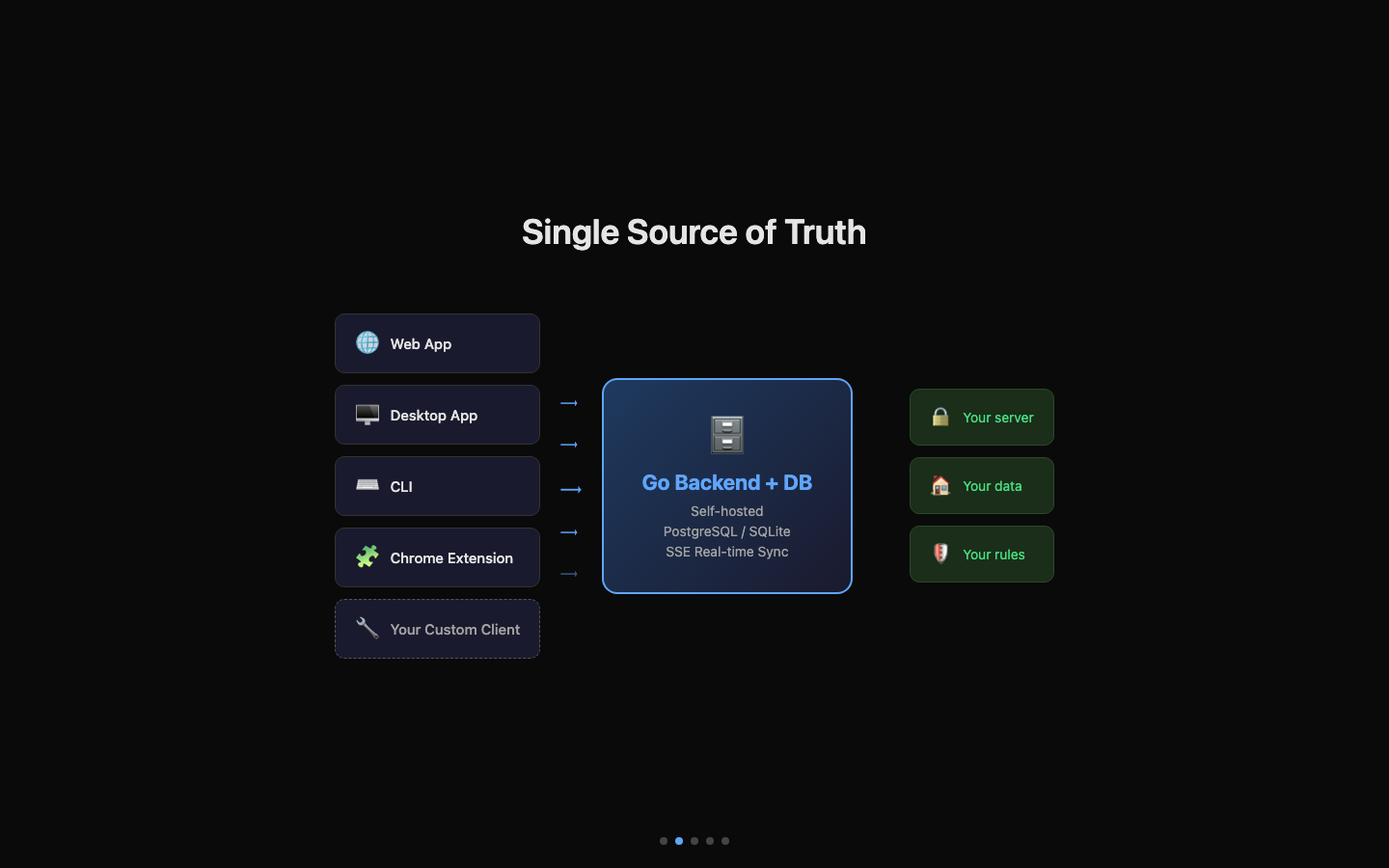
When choosing a productivity tool, you often face a familiar dilemma: web apps are powerful but useless offline, desktop apps feel great but lock your data locally, and CLI tools are developer-friendly but lack a visual interface. The root cause is the absence of a Single Source of Truth — each platform is an island, and your data is scattered across them. UnDercontrol's answer: four form factors, one data source. And that data source is entirely under your control — self-hosted on your own server or stored on your local disk, never passing through any third party. Privacy and security are defined by you.
Web App — Remote Access, Zero Install
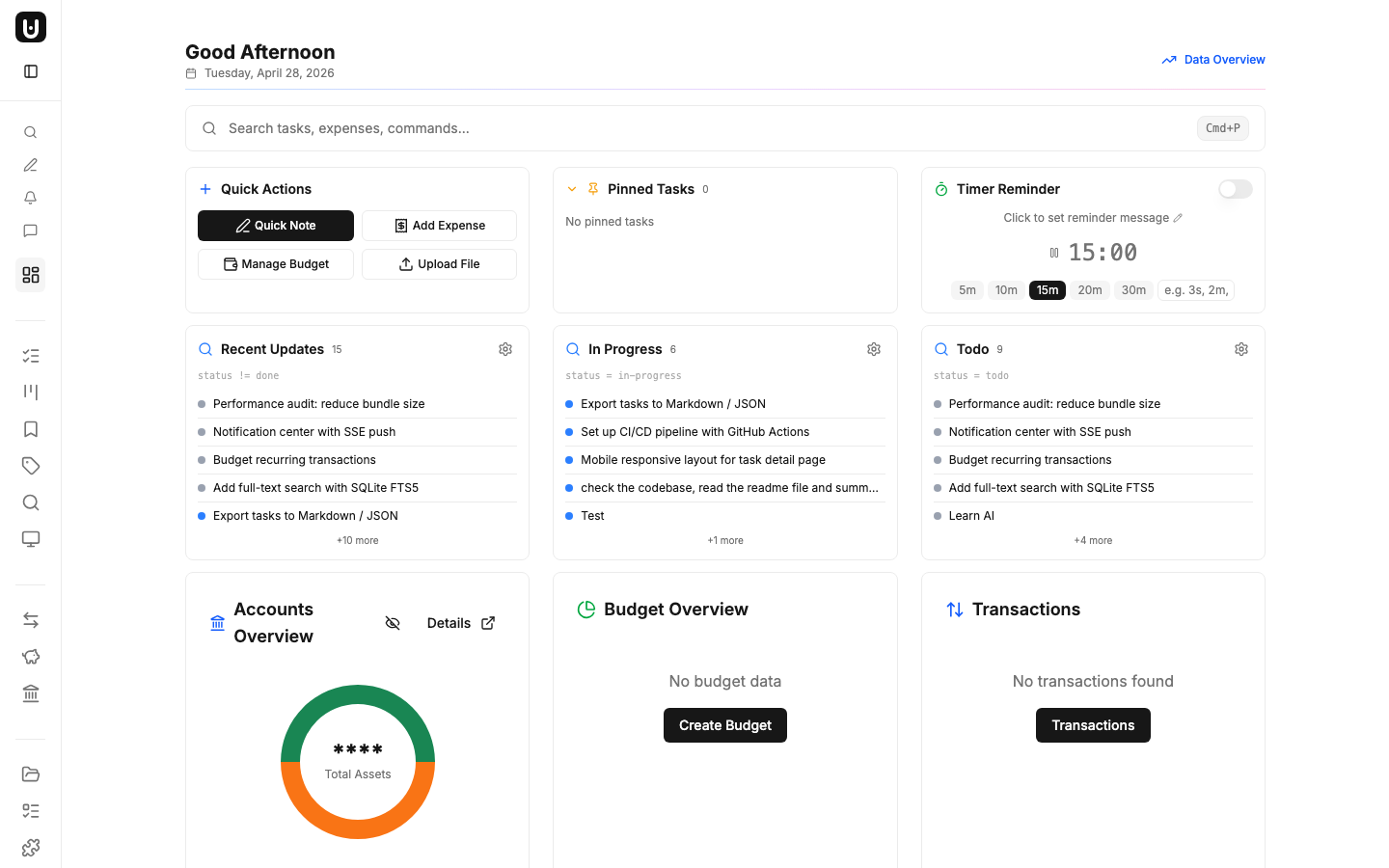
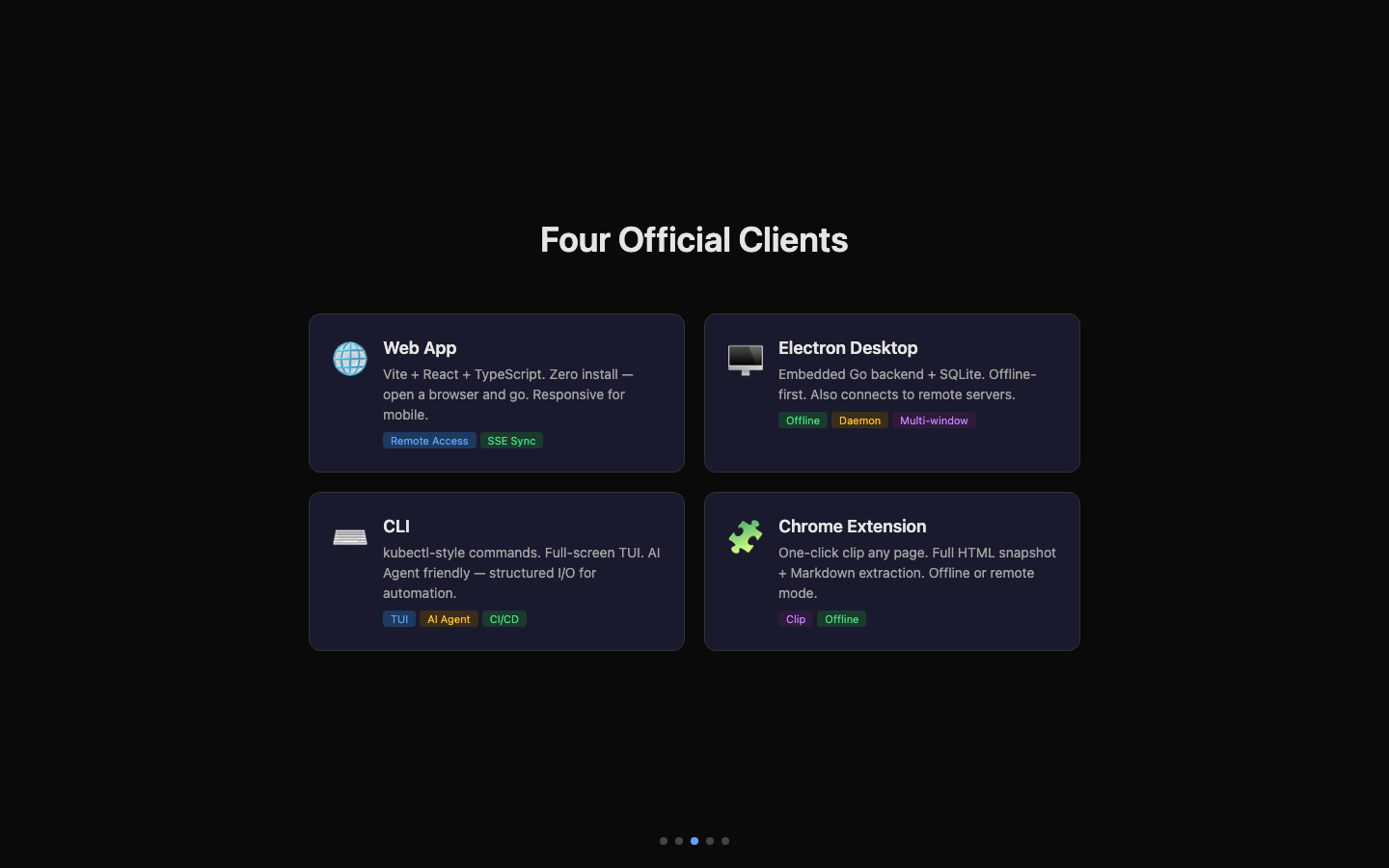
UnDercontrol's web frontend is built with Vite + React + TypeScript and serves as the foundation of the entire platform. Open a browser and you're in — no installation required.
Core capabilities:
- Full task, budget, and expense management
- Tiptap rich-text editor (code blocks, Mermaid diagrams, tables, checklists)
- AI chat integration (supports Claude, OpenAI, and other providers)
- SSE real-time notifications with multi-tab sync
- Responsive design that works on mobile
- Bilingual interface (Chinese / English)
The web app also serves as the rendering layer for the Electron desktop app — same codebase, zero duplication.
Typical scenarios
- On the go, quickly check task progress or approve expenses from your phone's browser
- Team members collaborate instantly — just open a link, no software to install
- The convergence point for all clients — docs pushed from CLI, tasks created on desktop, pages clipped by the extension — all viewable and manageable in one place
Electron Desktop App — Offline First, Local Data
The desktop app is far more than a web wrapper. It embeds a full Go backend and SQLite database, ready to use out of the box with no server configuration.
Embedded backend architecture
- Automatically launches the Go backend on startup
- Dynamic port allocation to avoid conflicts
- Data stored in
~/Library/Application Support/UnDercontrol/(macOS) - Fully offline-capable — works without any network connection
Remote backend mode
- The desktop app can also connect to a remote server, sharing the same data source as the web app
- Switch the API address in settings — no reinstallation needed
Daemon mode
- Background daemon process that listens to the task queue via SSE
- Receives and automatically executes remotely dispatched tasks — ideal for AI Agent workflows
Desktop-exclusive features
- System tray (Windows) — minimize to tray for quick access
.mdfile association — double-click a Markdown file to open it in UnDercontrol- Multi-window editing — open multiple editor, task, and sticky-note windows simultaneously
- Workspace management — local terminal windows for running commands
Build targets
- macOS — DMG installer, Universal Binary (x64 + ARM64)
- Windows — NSIS installer (x64)
- Linux — AppImage (x64)
Typical scenarios
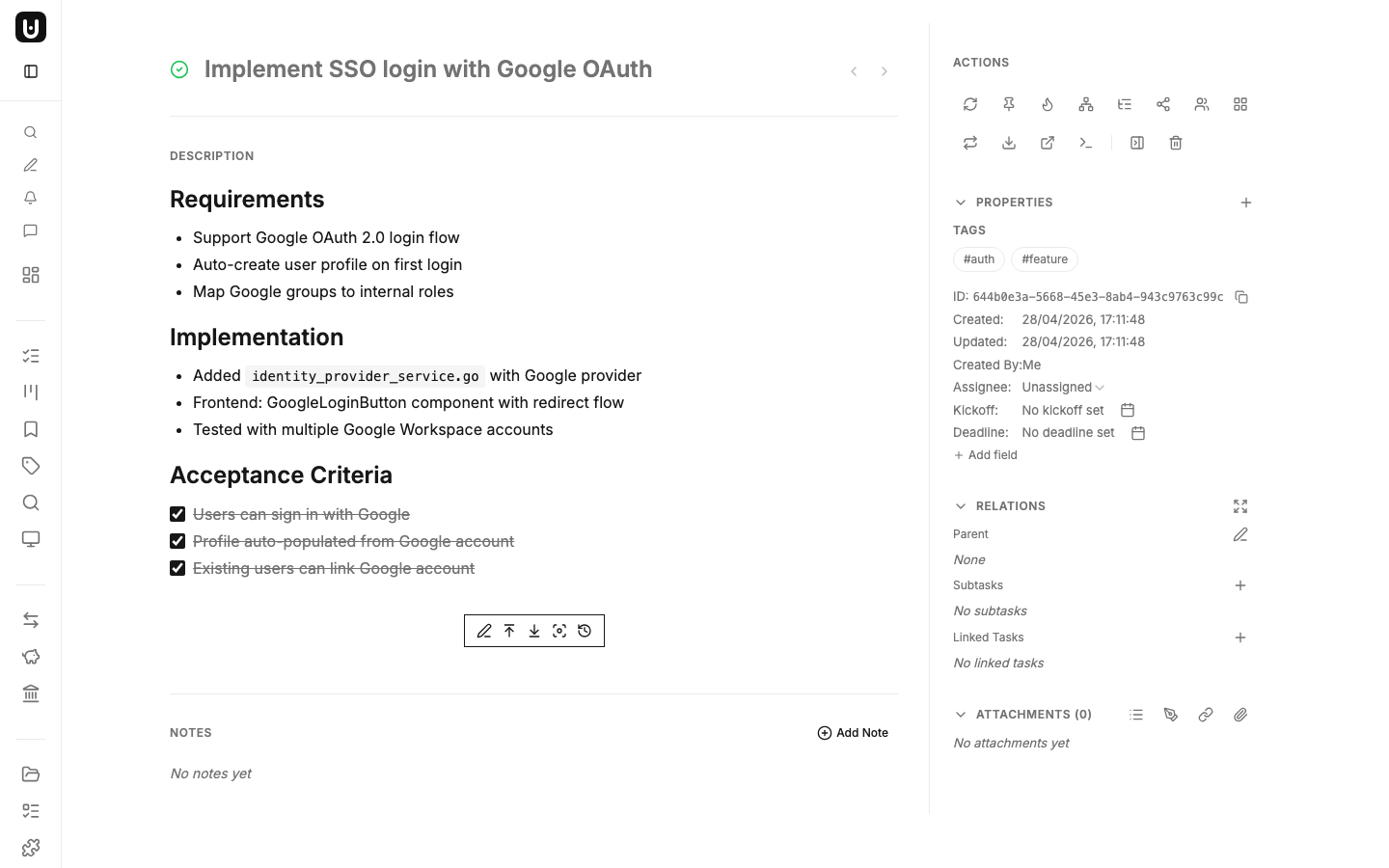
- On a plane or train with no network — create tasks and edit documents as usual; everything syncs when you're back online
- At home, connect the desktop app to your company server — see exactly the same data as the web app
- Receive remotely dispatched AI tasks via Daemon and execute them automatically on your local machine
CLI — kubectl-Style, AI Agent Friendly
The ud CLI is a terminal tool designed for developers and automation, using a kubectl-style verb-resource command system.
Interactive TUI
Run ud to enter a full-screen TUI for browsing and managing tasks with your keyboard.
One-liner operations
ud get task                          # list tasks
ud describe task abc123              # view details
ud apply -f task.md                  # create/update from file
ud task query "status:todo tag:api"  # query and filter
ud task nl "tasks completed last week" # natural language query
AI Agent integration
ud prompt <skill-name> outputs skill documents that teach AI Agents (Claude Code, Codex, OpenCode, and others) how to operate tasks via the ud CLI. Structured command output and Markdown-formatted input make it a natural fit for AI Agents to read and write.
Typical scenarios
- CI/CD pipelines automatically push release notes to ud — the team reads them on the web, no need to dig through Git logs
- Technical docs in your code repo (architecture designs, API specs, runbooks) are synced to ud via scripts — non-developers can read them on the web without accessing the repository
- AI Agents automatically record progress and decisions in task notes during coding — the team sees updates in real time
- Ops scripts periodically collect inspection results and
ud applythem as tasks, forming a traceable operations log
Chrome Extension — One-Click Clipping
The Chrome extension turns any web page into an UnDercontrol task.
- One-click save — captures a full page snapshot (HTML + all embedded resources)
- Markdown extraction — automatically extracts the page body as clean Markdown
- Offline mode — save directly to local disk without logging in
- Remote mode — log in to create an UnDercontrol task directly, with the snapshot uploaded as an attachment
Typical scenarios
- Researching competitors — clip product pages as tasks, then compare and organize on the web later
- Found a great technical article — clip it as Markdown into ud for the team to share
- Received a customer bug report on a web page — clip it as a bug task with full context attached
SSE Real-Time Sync
All clients connected to the same backend — whether browser tabs, the desktop app, or another device — stay in sync via SSE (Server-Sent Events).
- Task status changes, new comments, attachment uploads — all events pushed in real time
- Daemon SSE Hub dispatches commands to desktop Daemon instances
- Workspace session state is automatically coordinated between the desktop app and the backend
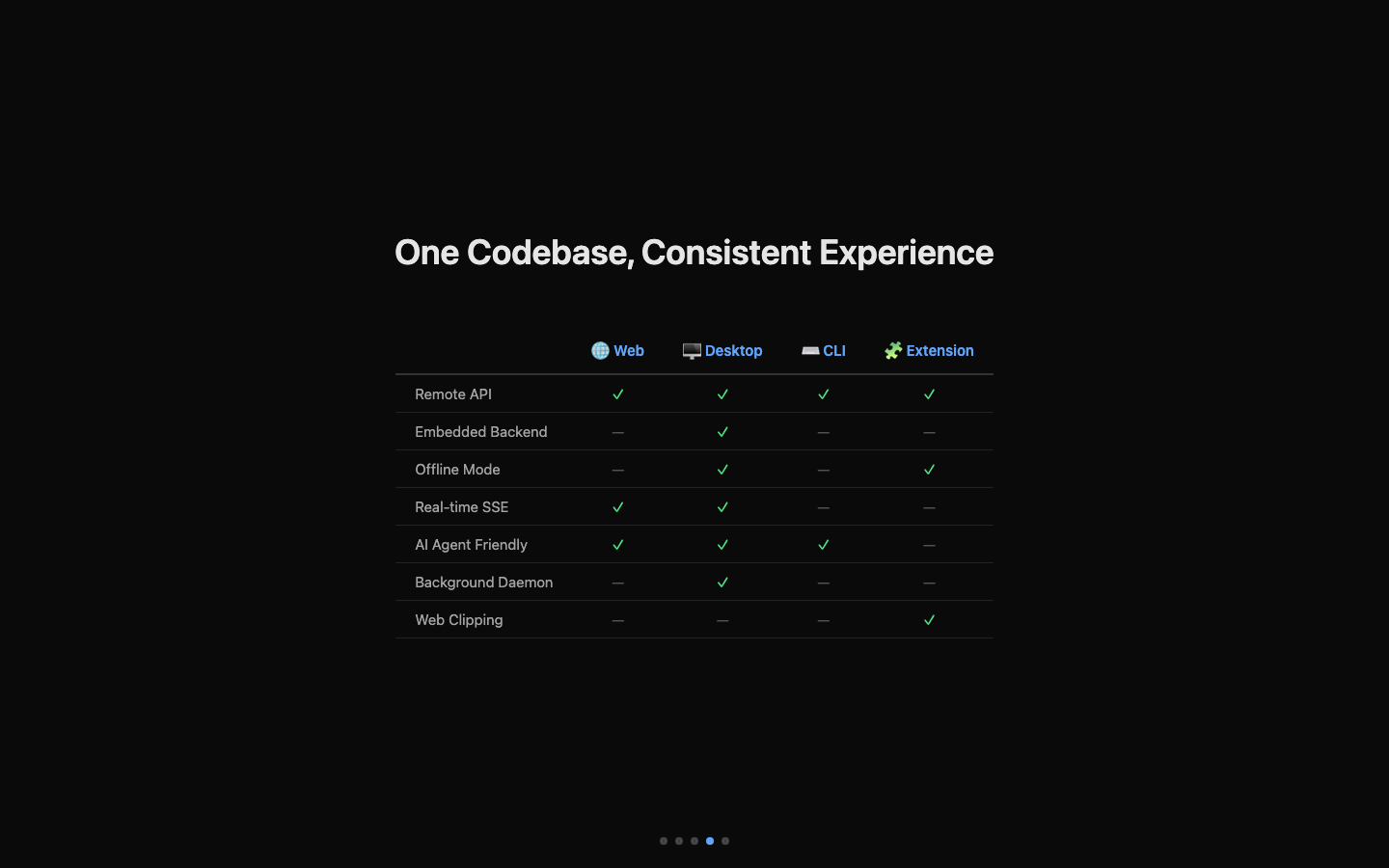
One Codebase, Consistent Experience
UnDercontrol's multi-platform strategy isn't "build once for each platform." Instead:
- Web app is the single frontend codebase
- Electron loads the web build directly — zero code duplication
- CLI shares the same API and data model
- Chrome extension uses the same API endpoints
| Capability | Web | Desktop | CLI | Extension |
|---|---|---|---|---|
| Remote API access | ✅ | ✅ | ✅ | ✅ |
| Embedded backend | ❌ | ✅ (switchable to remote) | ❌ | ❌ |
| Offline mode | ❌ | ✅ | ❌ | ✅ |
| System tray | ❌ | ✅ | ❌ | ❌ |
| TUI interface | ❌ | ❌ | ✅ | ❌ |
| Background Daemon | ❌ | ✅ | ❌ | ❌ |
| Web clipping | ❌ | ❌ | ❌ | ✅ |
| Real-time SSE | ✅ | ✅ | ❌ | ❌ |
| AI Agent friendly | ✅ | ✅ | ✅ | ❌ |
And there's more — the open API lets you build any client you want.
Beyond Official Clients — Build Your Own
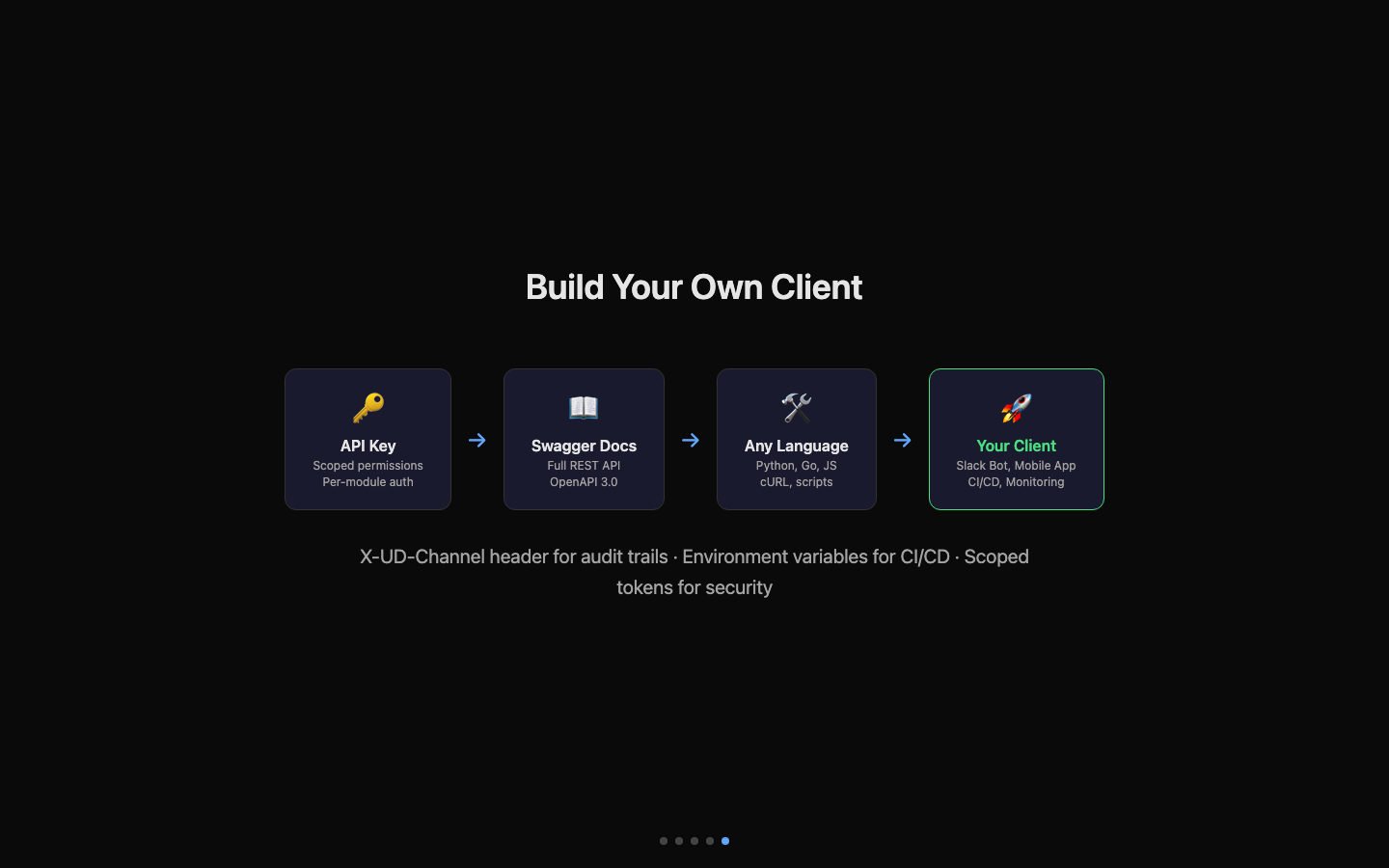
Beyond the four official clients, UnDercontrol exposes a full RESTful API. Generate an API Key in your profile settings, pair it with the Swagger docs, and build your own client in any language — Python scripts, automation bots, internal tool integrations, or even your own mobile app.
- API Key authentication — generate in Profile → API Key, call with Bearer Token
- Scoped permissions — authorize independently by module (Tasks, Expenses, Budgets, Files, AI)
- Swagger docs — browse all endpoints at
https://your-server/swagger/index.html - X-UD-Channel audit — custom channel identifier to trace every request's origin
- CI/CD friendly — environment variable configuration for seamless automation pipeline integration
Typical scenarios
- Build a Slack Bot in Python — your team types
/taskin Slack to create and query ud tasks - Connect your internal admin panel's ticketing system to ud via API for bidirectional status sync
- Build a native mobile app calling the same API for a personalized phone experience
- Monitoring system alerts automatically create ud tasks with context attached — on-call engineers handle them on the web
Different scenarios, the right tool for the job — data always in sync, experience always consistent.