Take Control of Your Personal Finances with UnDercontrol's Budget Tracker
Most personal finance tools make you choose between privacy and functionality. Either you hand over your financial data to a cloud service, or you settle for a spreadsheet that breaks the moment your situation gets even slightly complicated. UnDercontrol takes a different approach: a full-featured budget tracker that runs on your own infrastructure, with your data staying exactly where it belongs.
Here's a practical look at how budget tracking works in UnDercontrol.
Creating a Budget That Reflects Reality
Setting up a budget in UnDercontrol starts with the basics: a name, an initial amount, a start date, and a recurrence frequency. Weekly, monthly, quarterly, or yearly — pick whatever matches how you actually think about money.
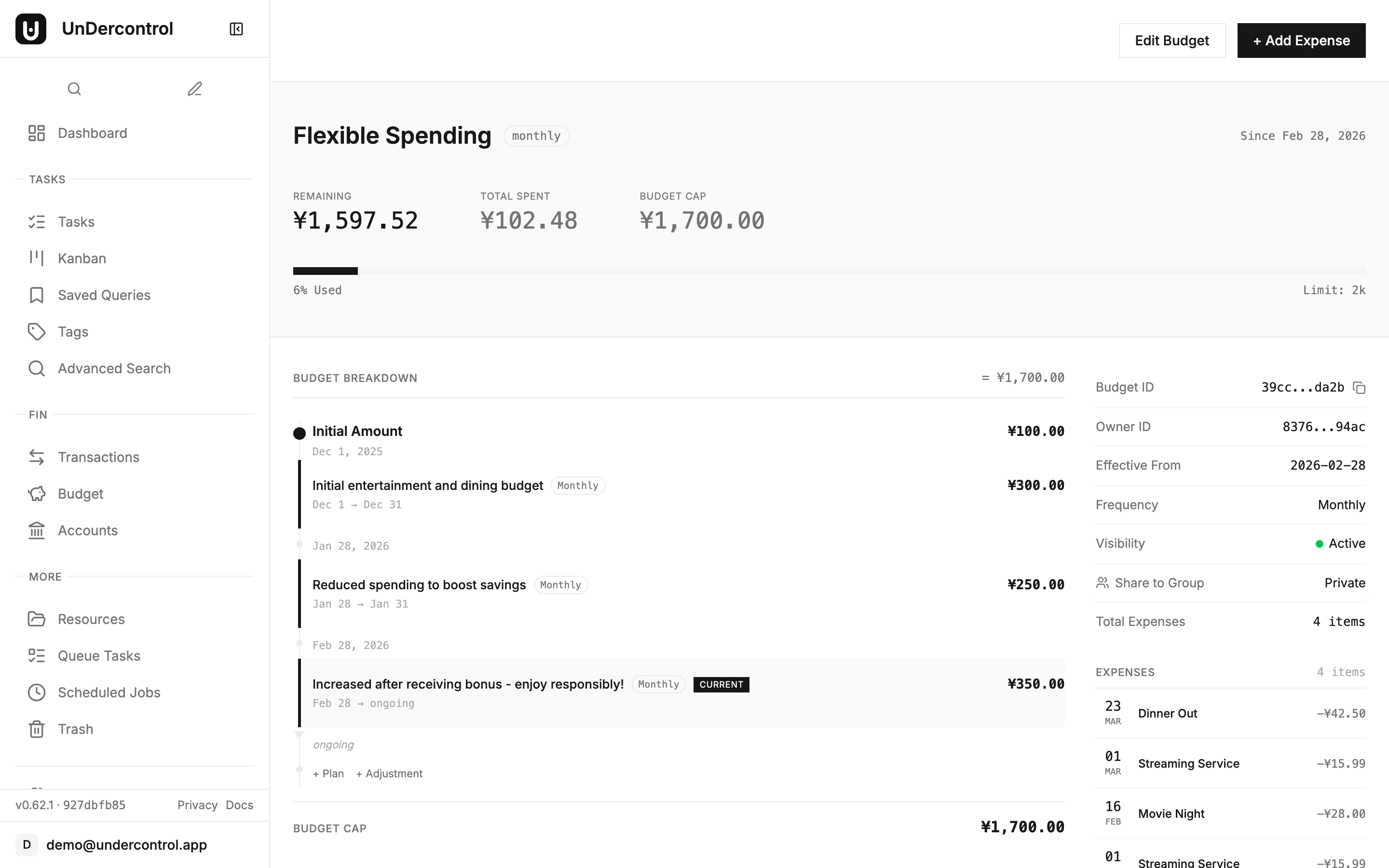
But the real power comes from budget plans. Instead of locking you into a single fixed amount, UnDercontrol lets you add new plans over time. Say you start the year with a $500/month grocery budget, then prices go up and you need to revise it to $650 in March. You add a new plan with the updated amount. The system handles the math — calculating totals based on which plan was active during which periods — so your historical data stays accurate and your current view is always up to date.
One-time adjustments fill in the gaps that recurring plans can't cover. Got an unexpected refund? A bonus allocation from a project? A correction to fix a data entry mistake? Each adjustment records an amount, a date, and an optional reason. Future you will appreciate those reasons when reconciling months later.
Logging Expenses and Linking Them to Budgets
Expenses in UnDercontrol are first-class records. When you log an expense, you can link it to a specific budget. That link is what powers the "budget vs. actual" view — the expense amount rolls up into the budget's spent total, and it appears in that budget's ledger.
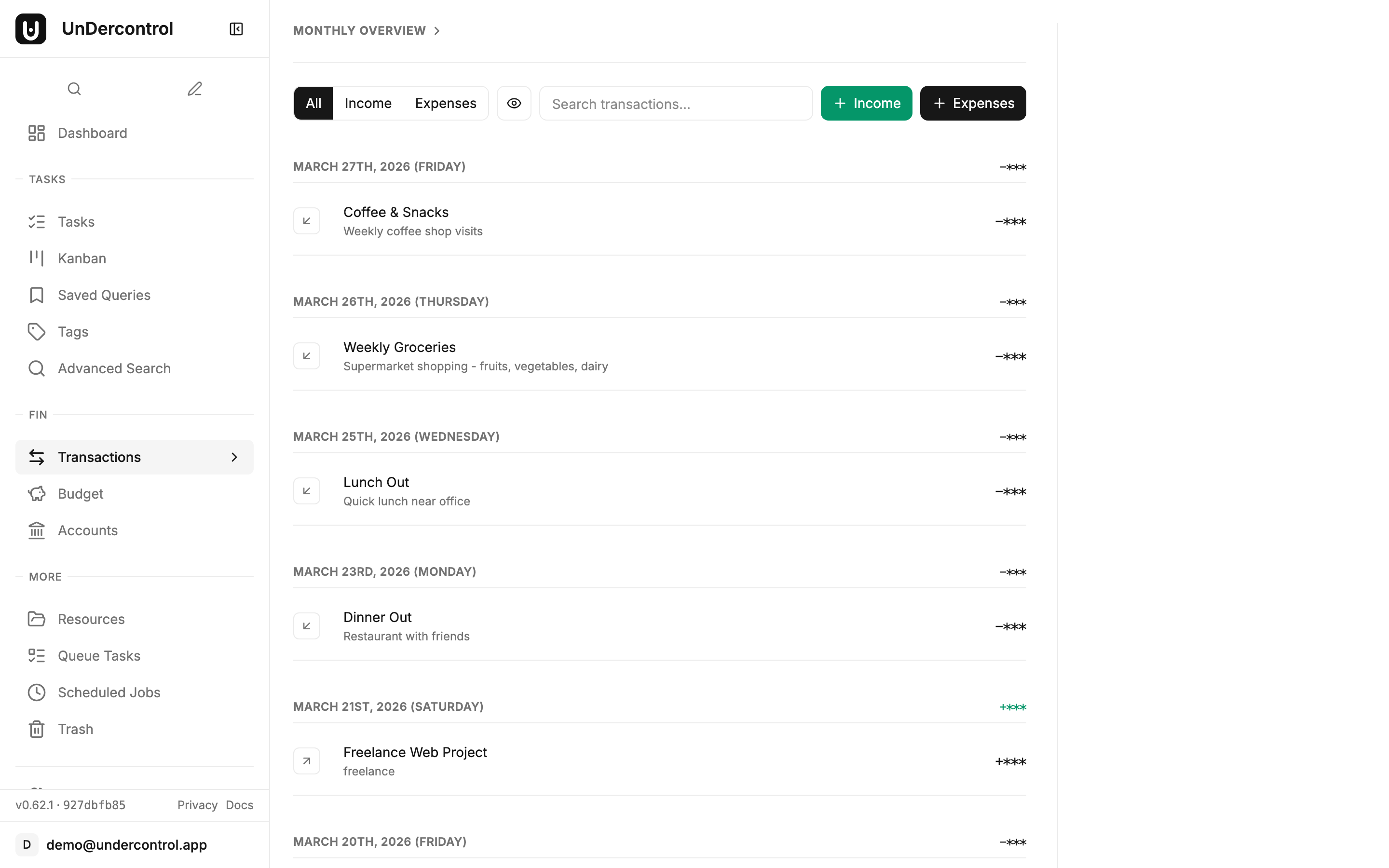
This design means you can also have expenses that aren't tied to any budget, which is intentional. Not every transaction needs to be categorized immediately. You can log it, come back later, and link it when it makes sense.
The budget detail page brings everything together: a hero section showing total allocated, total spent, and remaining balance at a glance, plus a spending trend chart that plots your actual spend against the budget line over 7, 30, or 90 days. If you're running a monthly grocery budget and the chart shows you've crossed the allocation line by day 22, that's a clear signal — no mental math required.
Multi-Account Support and the Full Picture
UnDercontrol's account system lets you track money across multiple sources — checking, savings, a separate business account, whatever your setup looks like. Budget accounts contribute to your overall available balance, so when you're planning a new budget, you're working with real numbers rather than guesswork.
This becomes especially useful when you're managing finances for a small team or household. The collaboration system lets you share budgets with other users, so multiple people can log expenses against the same budget and see the same real-time totals. No more emailing spreadsheets back and forth or manually reconciling two separate tracking systems.
Staying on Top of Spending Without the Overhead
The budget list page is designed to give you a quick read on everything at once. Progress bars, spent and remaining amounts, and a summary sidebar with aggregated totals across all budgets. Search to find specific budgets quickly. A "Show hidden" toggle for budgets you want to archive without deleting.
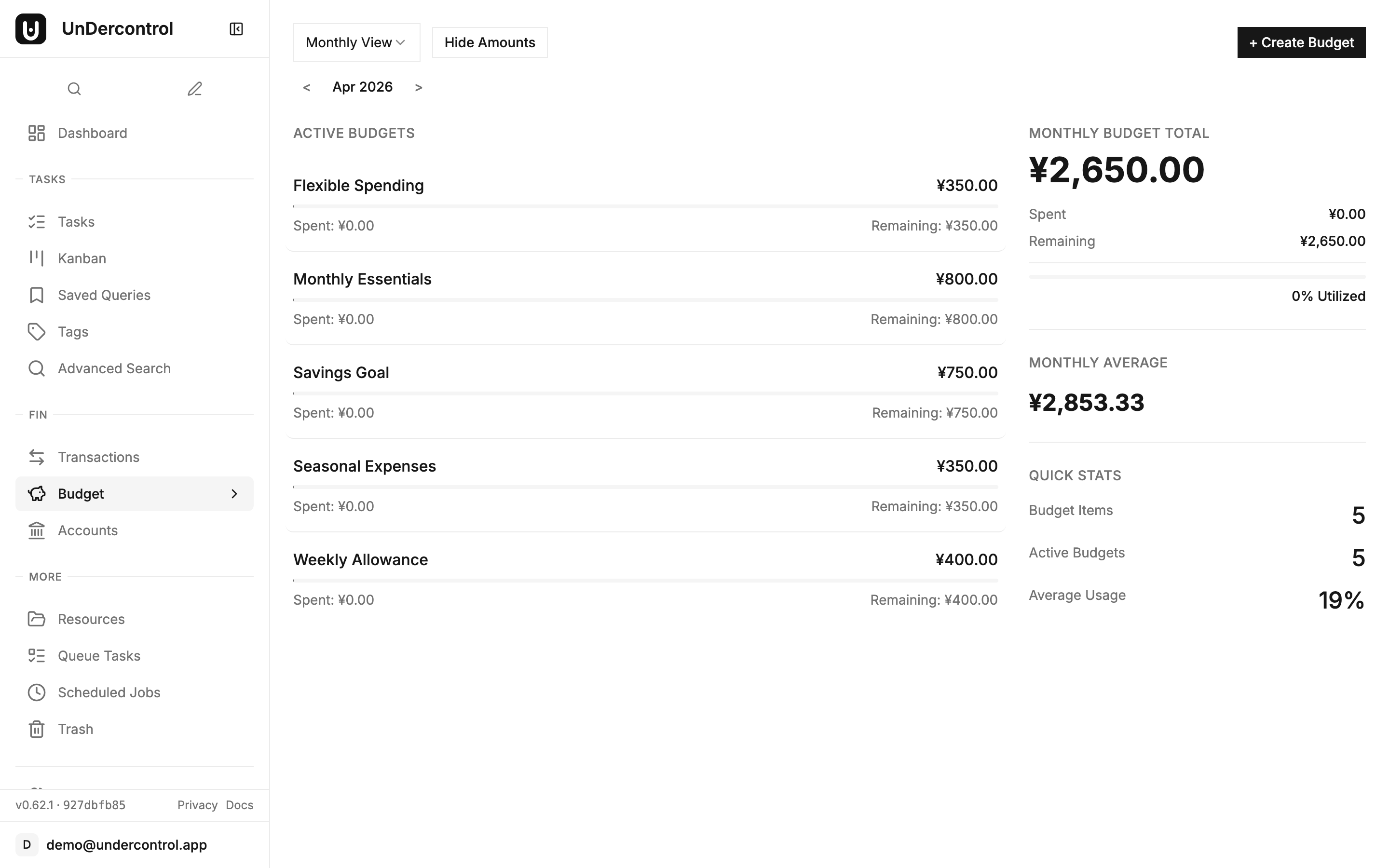
Privacy mode deserves a mention: toggle it to hide all monetary amounts across the interface. Useful when you're screen sharing during a meeting and don't need to explain your personal grocery budget to coworkers.
For reporting and data portability, UnDercontrol supports data export so you can pull your expense history out in a structured format. Since you're self-hosting, you also have direct access to the underlying database if you need to run your own queries or pipe data into another tool.
Self-Hosted, Your Rules
Everything described here runs on your own server. Your financial data doesn't pass through anyone else's infrastructure. You control the backups, the access, and the retention policy. For anyone who's ever felt uncomfortable typing their bank transactions into a third-party app, that matters.
If you want to get started, the self-deployment guide walks through setting up UnDercontrol with Docker. The budget documentation covers every feature in detail, including how budget totals are calculated and how to use adjustments effectively.
Set up your first budget, link a few expenses, and check back in a week. The spending trend chart will tell you more than any spreadsheet ever did.