Power User Queries and Saved Filters in UnDercontrol
If you have more than a handful of tasks in UnDercontrol, you have probably hit the point where "scroll and scan" stops working. You know what you are looking for — overdue items, everything tagged work that is still in progress, tasks with no deadline yet — but getting to them quickly takes more than a status filter.
This post covers the query system built into UnDercontrol: a SQL-like syntax that works across the web UI, the CLI, custom views, kanban boards, and saved queries. Once it clicks, you will use it constantly.
The Query Syntax
The syntax is deliberately close to SQL WHERE clauses. If you have ever written a database query, it will feel familiar immediately. If you have not, the basics take about five minutes to pick up.
A simple query looks like this:
status = 'todo' AND deadline <= 'today'
That finds every task that is still todo and due today or earlier — in other words, overdue todo items.
You can build on that with tags, text search, date ranges, and custom fields:
(deadline <= 'today' OR tags = 'urgent') AND status != 'done' AND status != 'archived'
This is a reliable "needs attention now" query. Pin it as a saved query (more on that below) and you have a one-click urgent task list.
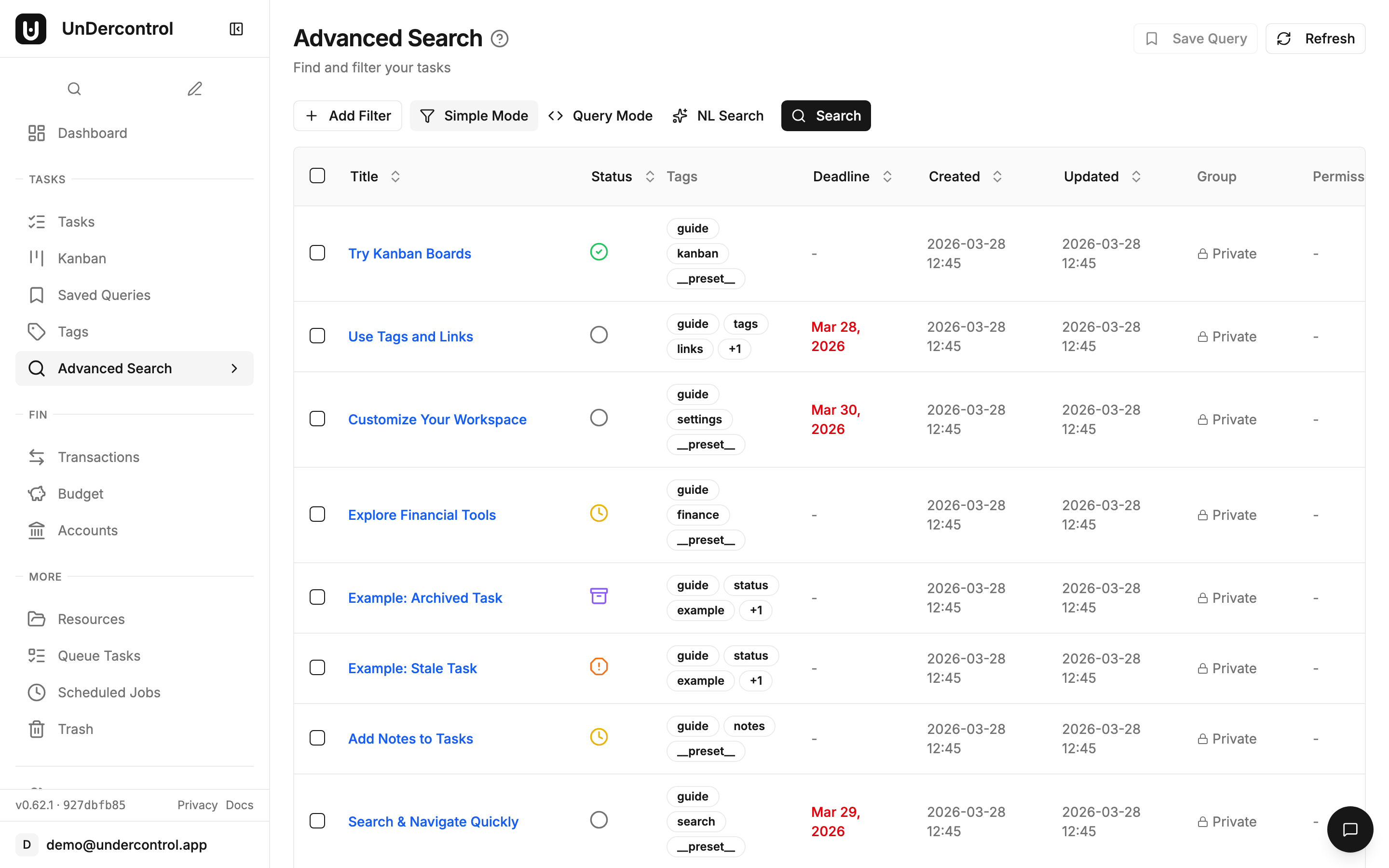
Datetime Expressions
One of the more practical parts of the syntax is the relative date support. Instead of hardcoding dates, you write things like '-7d', '+1w', or just 'today'.
-- Tasks created in the last week
created_at >= '-7d'

-- Due within the next month
deadline BETWEEN 'today' AND '+1m'

-- Updated today
updated_at >= 'today'
The supported units are days (d), weeks (w), months (m), and years (y), with + for future and - for past. Standard ISO 8601 dates like 2025-06-01 also work when you need a fixed date.
Text Search and Custom Fields
Text search uses LIKE (case-sensitive) and ILIKE (case-insensitive) with % as a wildcard:
title ILIKE '%api%'
For custom fields, prefix with cf.:
cf.priority > 3 AND cf.department = 'engineering'
Custom fields support the full range of comparison operators depending on their type — numbers, text, selects, checkboxes, and user references all work.
Natural Language Queries
Writing queries manually is fast once you know the syntax. But if you would rather just describe what you want, the AI integration handles the translation.
In the web UI, open the AI Chat panel on the task page and type something like "show me overdue tasks that have the work tag". The AI generates the structured query and runs it.
From the CLI, use ud task nlquery:
ud task nlquery "tasks I need to finish this week"
ud task nlquery "high priority engineering items with no deadline"
The nl alias also works if you want to save a few keystrokes. This requires an AI provider to be configured, but once it is set up it handles surprisingly natural phrasing.
Saved Queries
This is where the query system becomes genuinely useful day-to-day. Saved Queries let you name and store any query, then run it with a single click from the sidebar.
A few worth setting up immediately:
| Name | Query |
|---|---|
| Overdue | deadline < 'today' AND status != 'done' AND status != 'archived' |
| Due This Week | deadline BETWEEN 'today' AND '+7d' AND status != 'done' |
| Unplanned | deadline IS NULL AND status = 'todo' |
| Recently Active | updated_at >= '-7d' AND status IN ('todo', 'in-progress') |
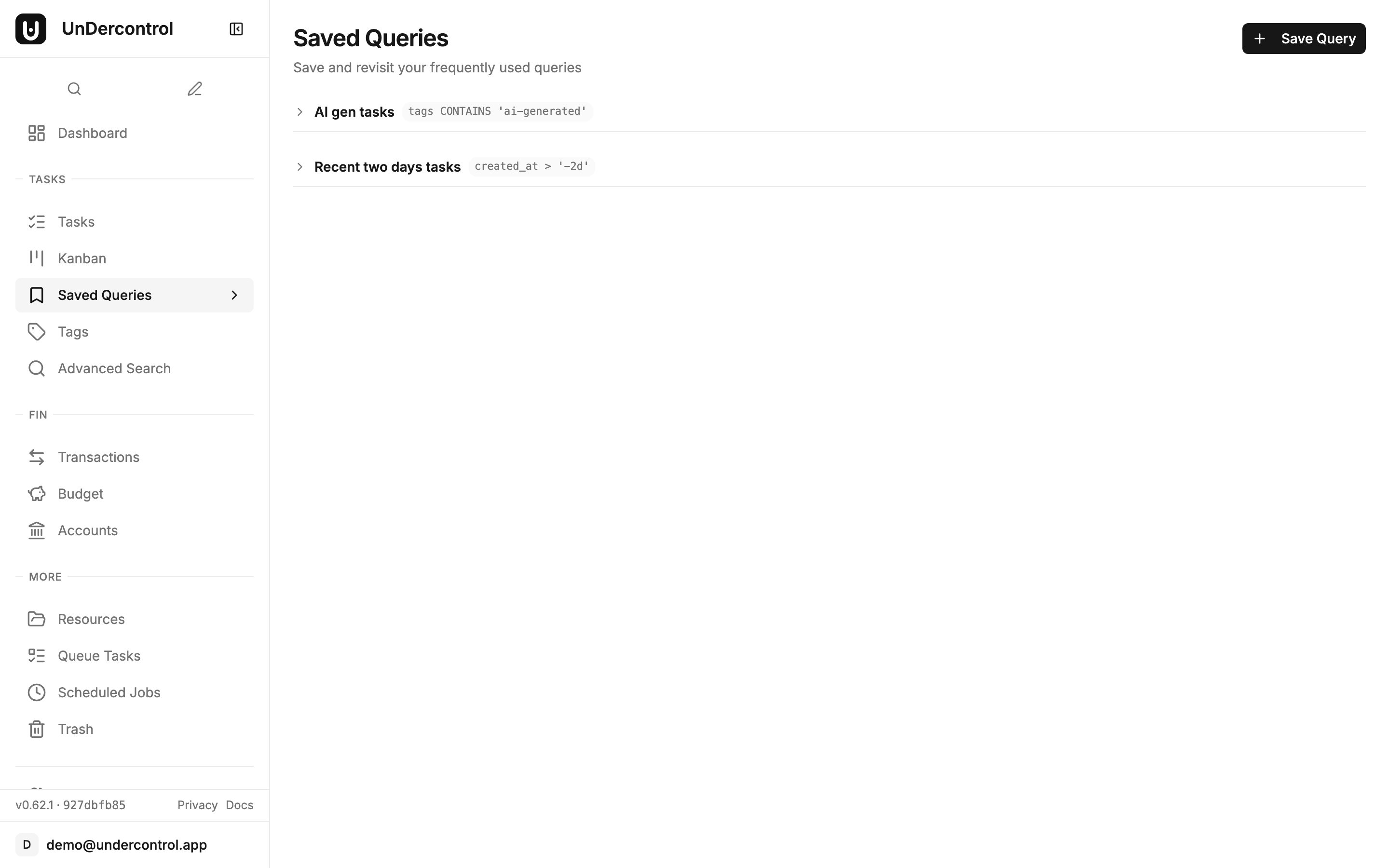
You can pin queries to keep your most-used ones at the top, reorder them by drag and drop, and edit them at any time. When you click a saved query, results expand inline — no navigation required.
Using Queries in the CLI
The CLI supports the same query syntax through ud task query:
ud task query "status = 'todo'" --sort deadline --order asc
ud task query "(status = 'todo' OR status = 'in-progress') AND tags = 'work'"
Flags for pagination (--page, --limit) and sorting (--sort, --order) are available. This makes it straightforward to pipe results into other tools or use queries inside shell scripts.
Getting Started
The full query syntax reference is in the Query Syntax documentation, including every operator, all datetime expression formats, and a full set of practical examples to copy and adapt.
If you are not running UnDercontrol yet, the self-hosting guide covers deployment with Docker. Your data stays on your own infrastructure — that is the whole point.