Reusable AI Skills — Prompt Templates You Own
If you've spent any time working with AI assistants, you've probably built up a mental library of prompts that actually work. The refactoring prompt that always gets clean output. The commit message template that matches your team's style. The bug-triage checklist you paste in every time something breaks in production.
The problem is those prompts live in your head, or a sticky note, or buried in a Notion doc nobody remembers to open. UnDercontrol's skills system fixes that.
What Are Skills?
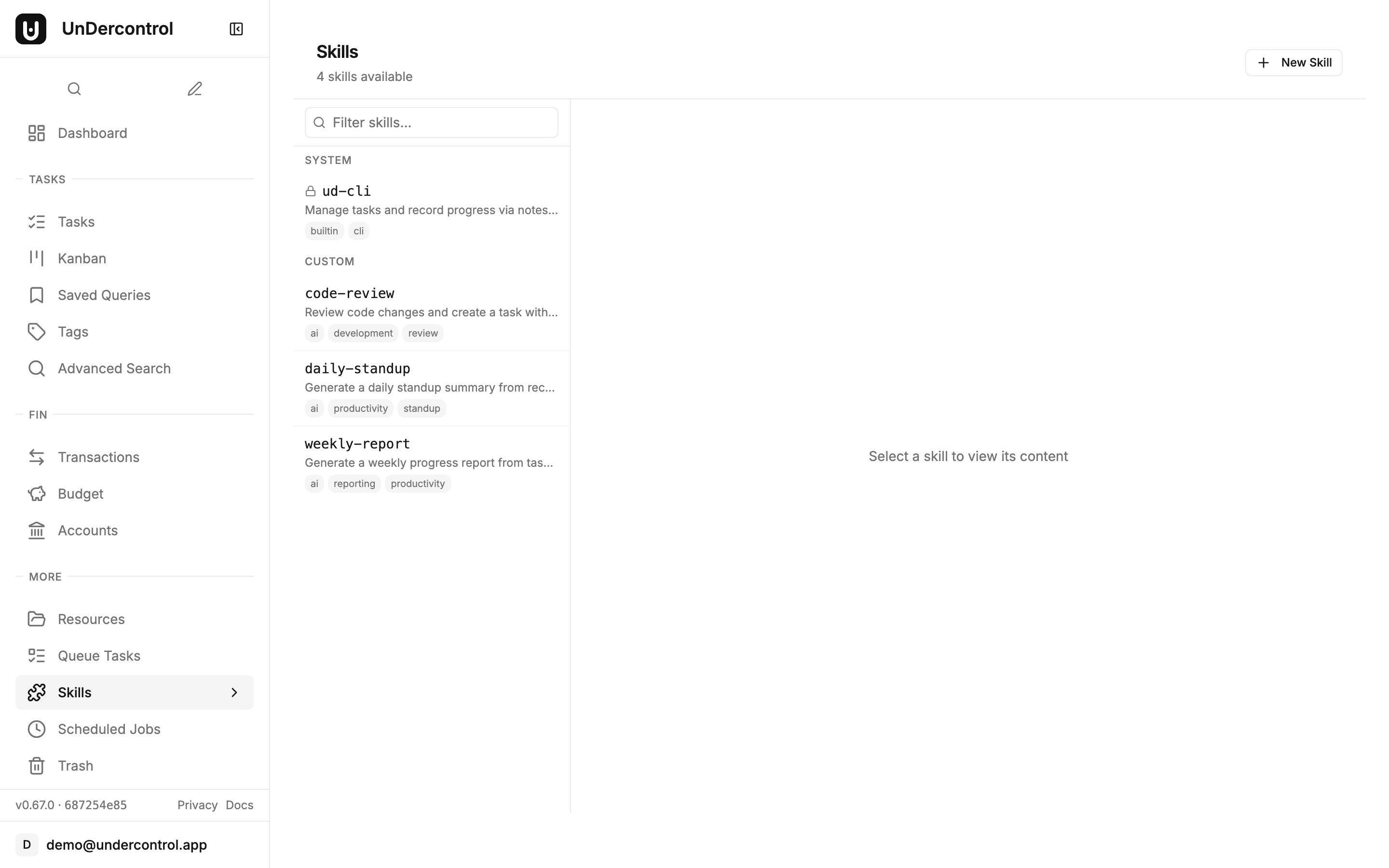
Skills are named, reusable prompt templates stored inside UnDercontrol. Each skill has a slug (e.g., refactor-ts, daily-standup, pr-review), a markdown body, and belongs to a group. That last part matters — skills are group-scoped, so a team can share a library of prompts without everyone maintaining their own copy.
You can create and edit skills through the web UI, manage them from the CLI, or apply them declaratively from a YAML file. The markdown content supports the full range of prompt structures: instructions, variables, multi-step workflows, whatever your use case needs.
Creating a Skill
From the web editor, creating a skill is about as straightforward as writing a note. Give it a name, a slug, and write your prompt in the markdown editor. Save it, and it's immediately available to everyone in the group.
From the CLI, you can apply a skill definition the same way you'd apply a task — as a markdown file with YAML frontmatter:
ud apply skill -f pr-review.md
Your file might look like this:
---
name: pr-review
description: PR Review Checklist
tags:
  - ai
  - development
---

Review the following pull request diff and provide feedback on:
- Logic correctness
- Error handling
- Test coverage
- Naming and readability
This makes skills portable. Check them into your dotfiles repo, version them with the rest of your configuration, and deploy them to a new UnDercontrol instance with a single command.
Using a Skill — The ud prompt Command
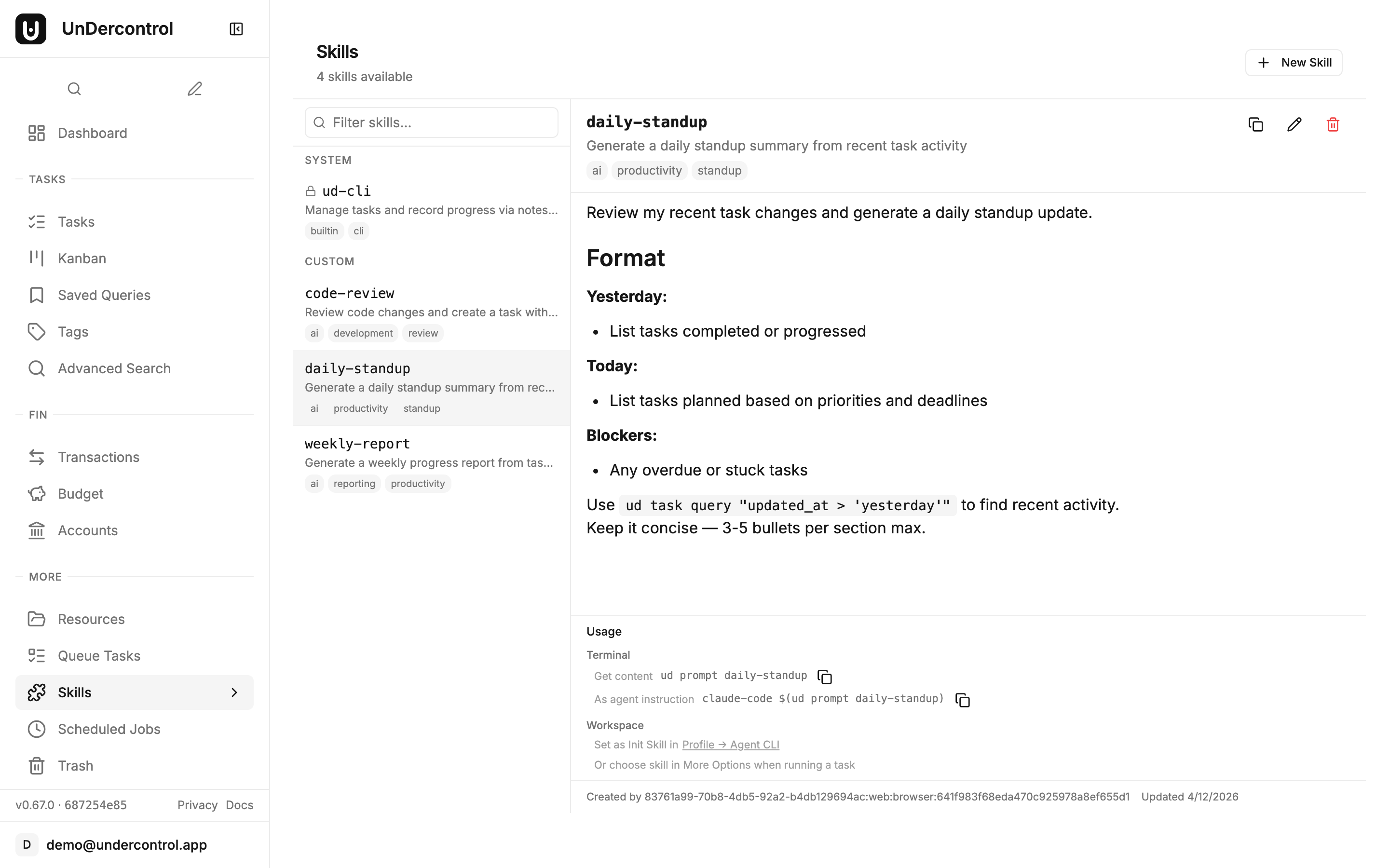
The real payoff is how you consume skills. The ud prompt command fetches a skill by slug and outputs its content to stdout. From there, you can pipe it anywhere.
Want to feed a skill into Claude Code?
claude-code $(ud prompt pr-review)
Want to compose it with other commands in a pipeline?
ud prompt pr-review | pbcopy
Because it's just stdout, ud prompt works with any tool that reads from stdin — Claude Code, other local AI agents, shell pipelines, whatever fits your workflow. UnDercontrol doesn't try to own the AI layer; it just manages the prompts so you don't have to.
Built-in System Skills
UnDercontrol ships with built-in system skills that are seeded on first startup. These are read-only — you can't accidentally overwrite them — and they serve as both useful defaults and examples of how skills are structured. The ud-cli system skill, for instance, provides a comprehensive reference for the CLI's command structure, making it immediately available to AI agents that need to interact with your tasks.
System skills are marked with a lock icon in the web UI and appear alongside your custom skills. You can reference them by slug just like any custom skill.
Managing Skills Over Time
Skills are first-class resources in UnDercontrol, which means full CRUD support through both the web UI and the CLI.
ud get skills— list all skills in your groupud describe skill <id>— inspect a specific skill's full contentud delete skill <id>— remove one you no longer needud apply skill -f skills/— apply an entire directory of skill definitions at once
The web editor is useful for quick edits and browsing what's available. The CLI is better for automation, bulk updates, and treating your prompt library as code.
Why This Matters
The idea behind skills is simple: the prompts that work well are worth keeping. Storing them in a self-hosted, group-scoped system means they don't disappear when someone leaves the team, don't get lost in a chat history, and don't require everyone to reinvent the same workflow independently.
It also keeps your prompts private. Because UnDercontrol is self-hosted, your prompt library — which often encodes institutional knowledge, internal processes, and domain-specific context — stays on your own infrastructure.
Get Started
Skills are available in UnDercontrol today. If you're already running an instance, you'll find the Skills page in the sidebar. If you're setting up for the first time, the self-hosting guide walks through deployment in about ten minutes.
Read the documentation or deploy your own instance to get started.